personal Astro PWA JavaScript Web development Live
Markdown Text Editor PWA
📝 Markdown Text Editor PWA
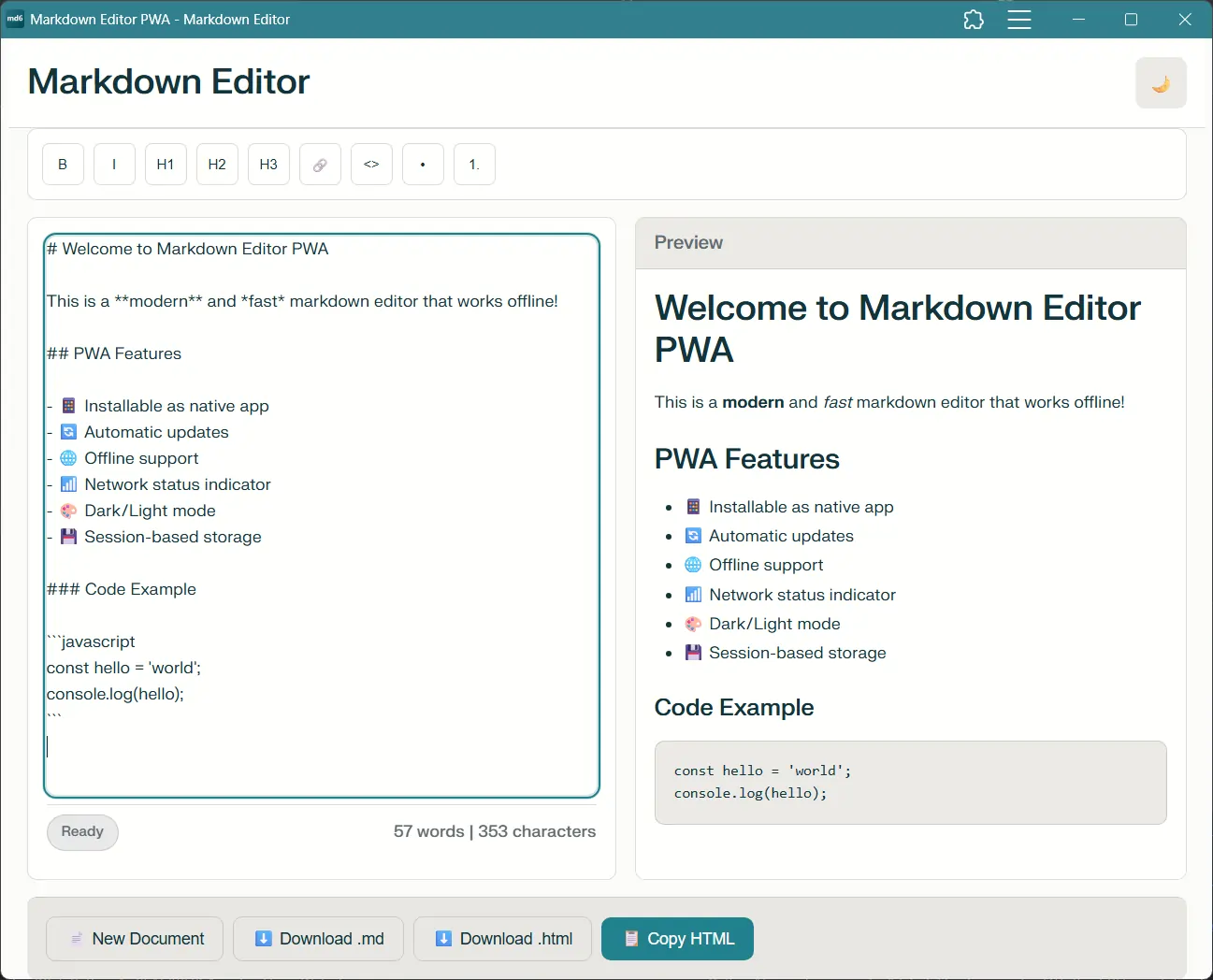
A modern, fast, and beautiful Markdown editor built with Astro featuring real-time preview, dark mode, offline support, and Progressive Web App (PWA) capabilities.
✨ Features
Core Features
- 🚀 Real-time Preview - See your Markdown rendered as you type
- 🌓 Dark/Light Mode - Toggle between themes with automatic system detection
- 📊 Word & Character Count - Track your document statistics in real-time
- 🎨 Rich Toolbar - Quick formatting buttons for common Markdown syntax
- 💾 Session Auto-save - Never lose your work during a session
- 📥 Export Options - Download as
.mdor.htmlfiles - 📋 Copy HTML - One-click copy rendered HTML to clipboard
- 📱 Fully Responsive - Works seamlessly on desktop, tablet, and mobile
- ⚡ Lightning Fast - Built with Astro for optimal performance
- 🎯 Zero Config - Works out of the box, no setup required
📱 PWA Features
- 📲 Installable App - Install as a native app on any device
- 🌐 Offline Support - Works completely offline after first visit
- 🔄 Auto-Updates - Automatic updates with user notifications
- 📶 Network Status - Real-time online/offline indicator
- 🎯 App Shortcuts - Quick actions from home screen/start menu
- ⌨️ Keyboard Shortcuts - Enhanced keyboard navigation
- 🎨 Native Experience - Custom splash screen and app theming
🛠️ Tech Stack
- Astro - Static Site Generator
- Marked.js - Markdown parser
- Service Workers - Offline functionality and caching
- Web App Manifest - PWA installation and theming
- Vanilla JavaScript - No framework dependencies
- Custom CSS - Beautiful design system included
🎮 Usage
Keyboard Shortcuts
| Shortcut | Action |
|---|---|
Ctrl/Cmd + B | Bold |
Ctrl/Cmd + I | Italic |
Ctrl/Cmd + S | Download Markdown |
Ctrl/Cmd + N | New Document |
Ctrl/Cmd + E | Export HTML |
Ctrl/Cmd + Shift + C | Copy HTML |
Tab | Indent |
Shift + Tab | Outdent |
Toolbar Buttons
- B - Bold text
- I - Italic text
- H1, H2, H3 - Heading levels
- 🔗 - Insert link
- <> - Code block
- • - Unordered list
- 1. - Ordered list
📱 PWA Usage
Installing the App
- Desktop: Click the install button in the address bar or use the in-app install button
- Mobile: Use “Add to Home Screen” from browser menu or tap the install prompt
- Chrome: Look for the install icon in the address bar
Offline Usage
- The app works completely offline after the first visit
- All documents are saved in session memory
- Export functionality works offline
- Updates download automatically when back online
App Shortcuts
- Right-click app icon (desktop) for quick actions
- Long-press app icon (mobile) for context menu
- Available shortcuts:
- New Document
- Export HTML
Markdown Support
The editor supports all standard Markdown syntax including:
- Headers (H1-H6)
- Bold and italic text
- Links and images
- Code blocks with syntax highlighting
- Lists (ordered and unordered)
- Blockquotes
- Tables
- Horizontal rules
- Line breaks
📱 Install this app on your device for the best experience!